Your Mac. Finally organized.
Sweep watches your folders 24/7 and sorts every file the instant it lands. No AI. No cloud. No subscription.
Download on the Mac App Store
$6.99 one-time
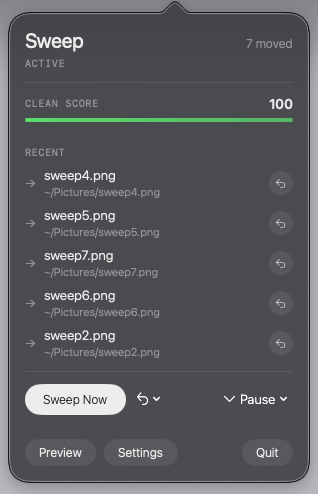
Sweep watches your folders 24/7 and sorts every file the instant it lands. No AI. No cloud. No subscription.
Features
Watches Downloads, Desktop, or any folder you choose. Files are sorted the instant they land — powered by macOS FSEvents, with zero CPU at idle.
Knows which app downloaded each file. Slack files go to Work. Zoom recordings go to Recordings. AirDrop to AirDrop. Automatically.
Every move is logged. Reverse any single file, any session, or everything from the last week. Nothing is ever deleted.
Screenshots
Menu Bar
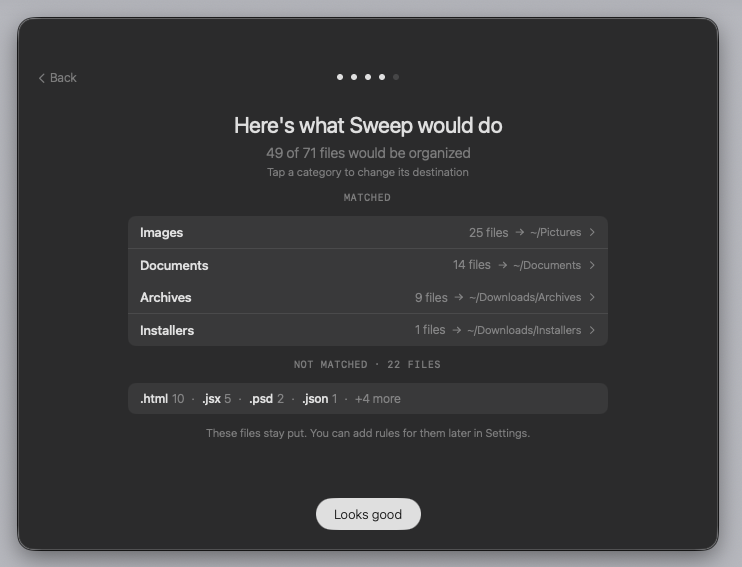 Preview Mode
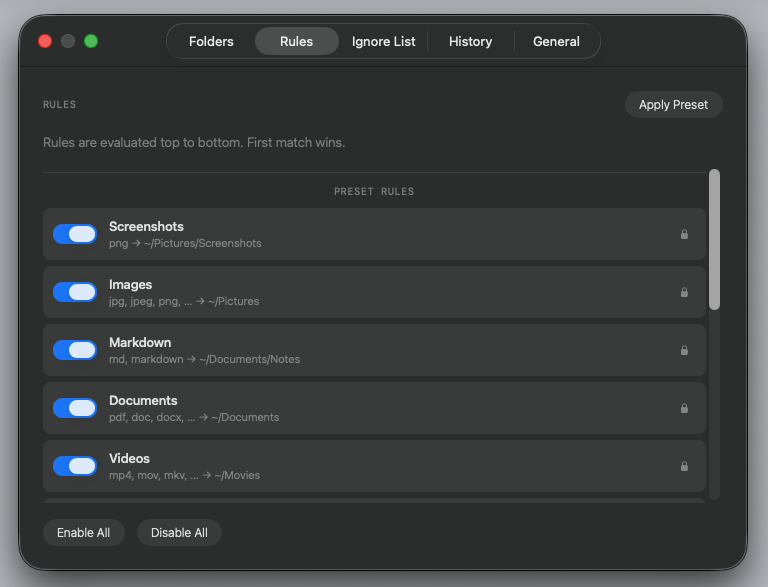 Rule Editor
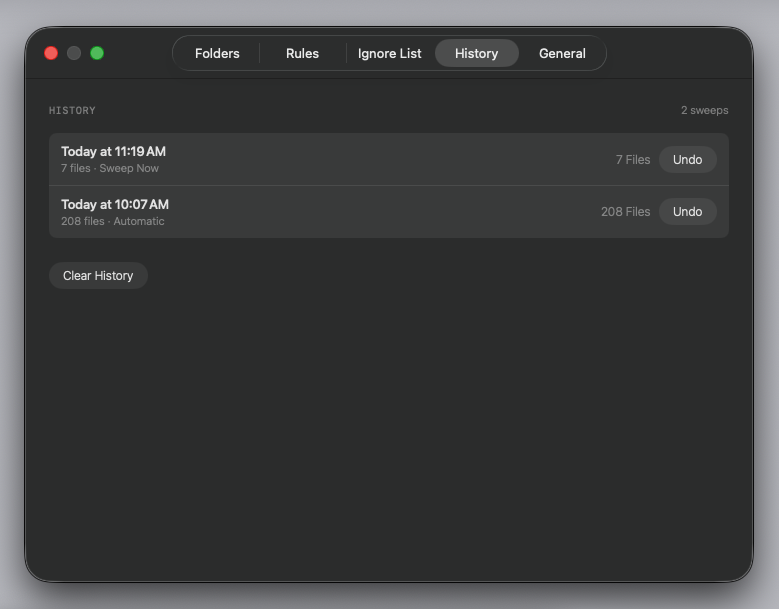 Undo History
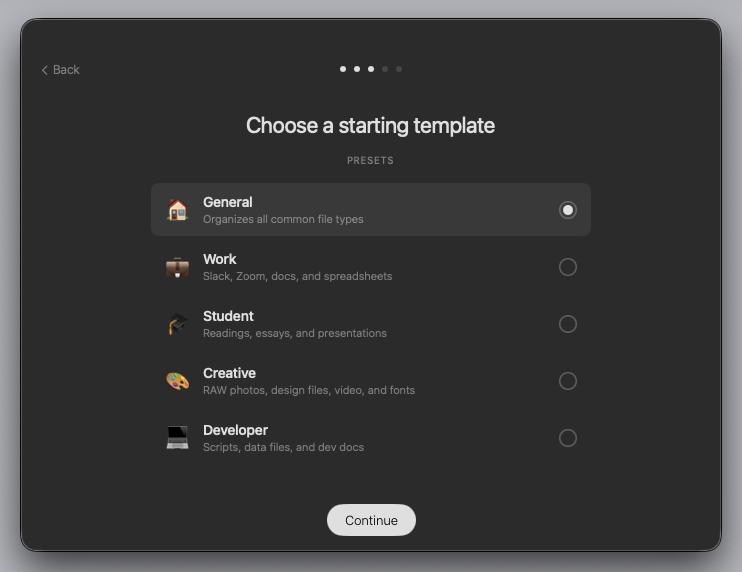 Onboarding
How it works
Downloads is pre-selected. Add Desktop, Documents, or any folder you want Sweep to watch.
General, Work, Student, Creative, or Developer. Each comes with smart rules for every common file type.
See exactly which files will move and where — before anything happens. Change any destination with a click.
Sweep runs silently in your menu bar. Every new file is sorted the instant it arrives. Your folders stay clean forever.
Support
Email us at info@sweepmymac.com
Open the Sweep popover from your menu bar, click Settings, go to the Folders tab, and click "Add Folder." You'll be asked to grant access through a standard macOS file picker.
Yes. Click the undo arrow next to any recent move in the popover, or use the bulk undo menu to reverse everything from the last hour, 24 hours, or week.
Never. Sweep only moves files to the destinations you choose. Every move can be undone at any time.
Yes. Sweep is 100% local — no internet connection required. There is no server, no account, and no cloud dependency.
No. Sweep uses deterministic rules you define — no AI, no machine learning, no ongoing costs. Your rules run instantly and predictably.
System requirements: macOS 13 Ventura or later